

Sentence Loop Practice
Sentence Loop Practice to Turn Understanding into Speech
You may understand a sentence when you read or hear it — but it may not be ready when you need to say it. Mamlio helps you practice one sentence at a time: hear it, record your voice, play it back, and repeat.
You understand the sentence, but it is not ready to say
Many learners recognize sentences when reading or listening, but still need practice before they can say them comfortably. Sentence loops help bridge that gap.
Reading and listening can be passive
You may recognize a sentence when you see or hear it, but that does not always mean it is ready when you need to say it.
Speaking needs active recall
Saying a sentence out loud requires your mouth to practice producing it — not just understanding it.
Random repetition can feel unfocused
Repeating words or phrases without a clear cycle can make practice feel scattered and hard to sustain.
Long conversations can feel stressful
Open dialogue can feel high-pressure when you are still building confidence in speaking.
Small sentence loops make practice manageable
One sentence, one cycle, one repeat at a time — loops keep speaking practice small enough to start and keep going.
What is sentence loop practice?
Sentence loop practice means repeating one useful sentence in a small cycle: hear it, say it, hear yourself, and repeat.
Instead of trying to practice everything at once, you focus on one sentence until it becomes easier to say. That small loop helps turn passive understanding into ready-to-say speech — one line at a time.
Why sentence loops help speaking
Sentence loops are not a shortcut to fluency, but they support low-pressure speaking practice in practical ways.
Keeps practice small and focused
You work on one sentence at a time instead of trying to practice everything at once.
Helps passive vocabulary become easier to say
Words you understand when reading or listening can become easier to produce through repeated loops.
Gives your mouth repeated speaking reps
Each loop is another chance for your mouth to practice saying a real sentence pattern.
Makes rhythm and pace more familiar
Hearing, saying, and playing back the same sentence helps you notice how it flows when spoken.
Reduces pressure
You practice one sentence at a time on your own, without a live audience or open conversation.
How Mamlio uses sentence loops
Mamlio gives learners a calm, repeatable loop around each sentence — from hearing it to saying it with confidence at your own pace.
Hear a sentence from AI
Listen to one clear sentence so you know what you are about to practice saying.
Record yourself saying it
Say the sentence out loud and record your voice as part of the loop.
Play your recording back
Listen to how the sentence sounded when you said it before repeating again.
Repeat or move to the next sentence
Loop the same sentence until it feels easier, then continue to the next one at your pace.
Difference from random repetition
Random repetition is just saying things again — without a clear starting point or cycle.
A sentence loop is a focused practice cycle around one sentence: hear, record, play back, repeat. Mamlio keeps that loop simple and repeatable so you can practice consistently instead of hoping random reps will stick.
A short practice example
AI reads:“I need a few more minutes.”
You record yourself saying it.
You play your voice back.
You repeat the sentence until it feels easier.
Then you move to the next sentence.
Sentence loops in Mamlio
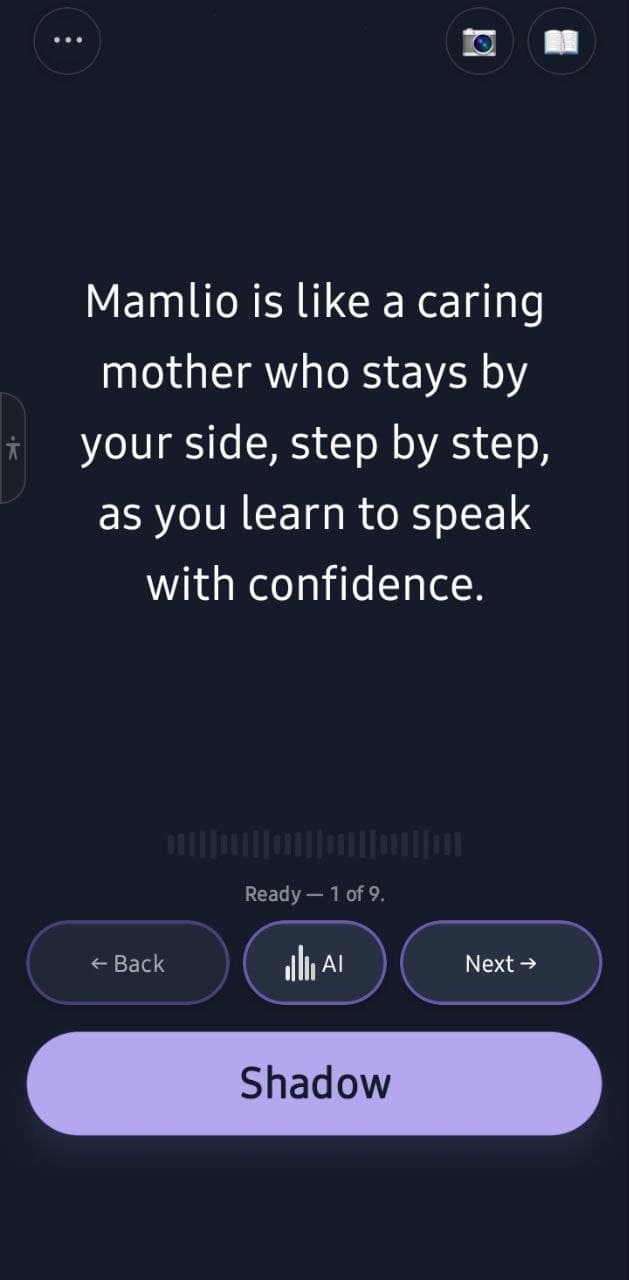
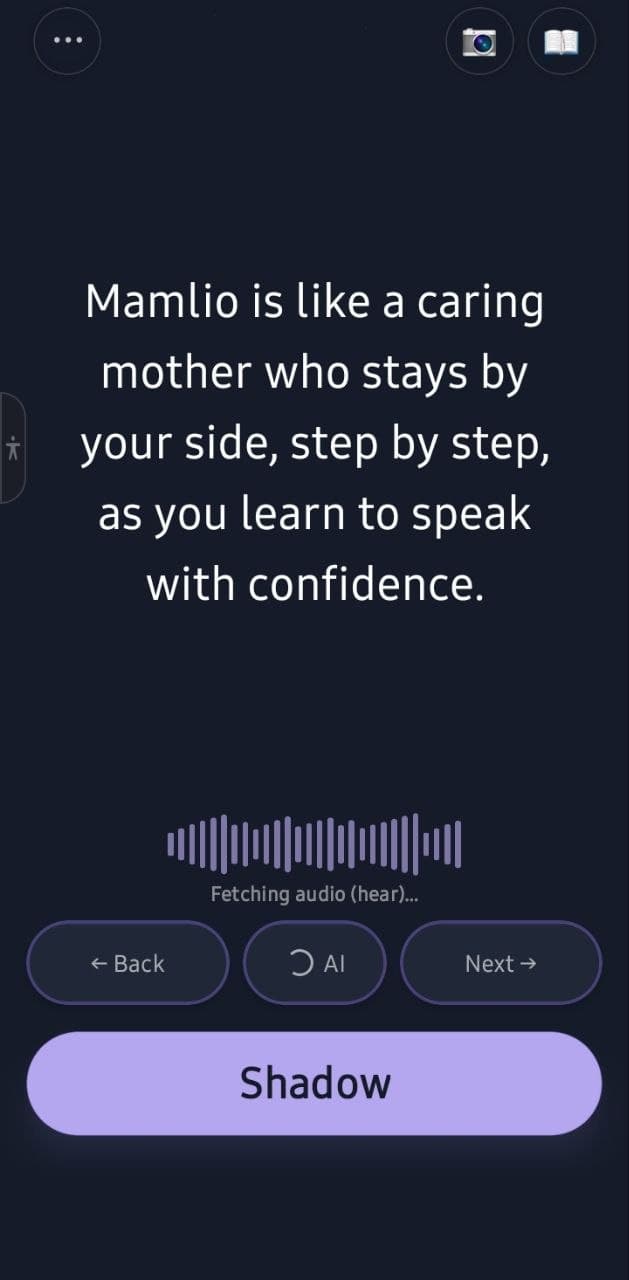
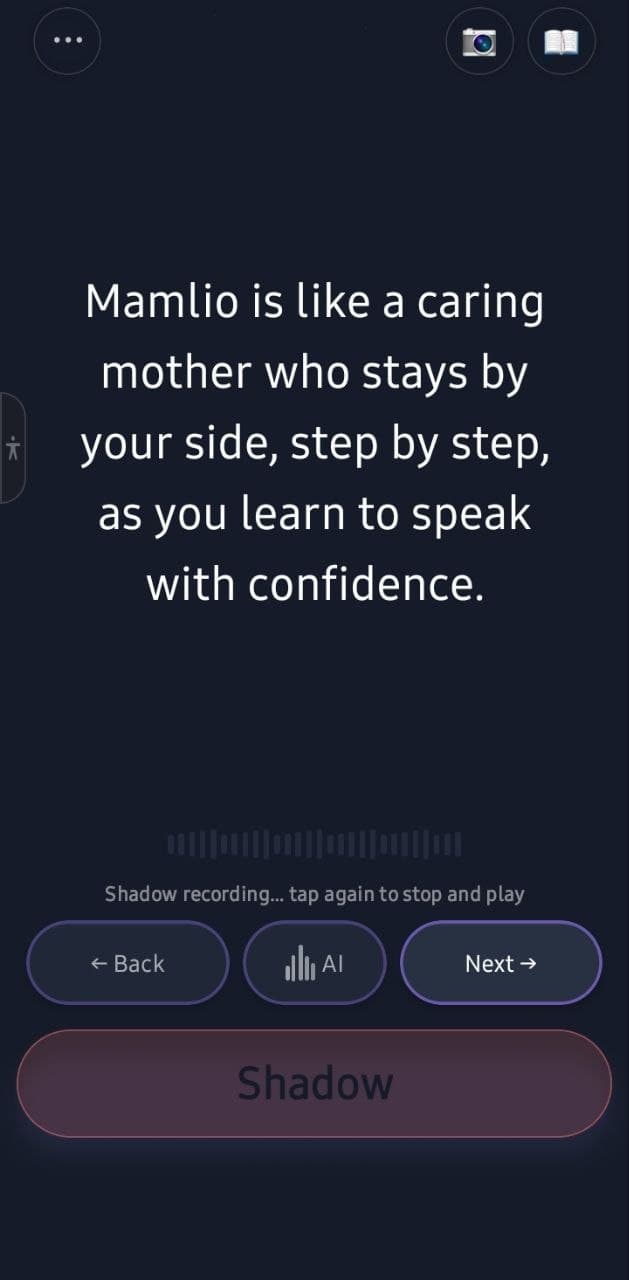
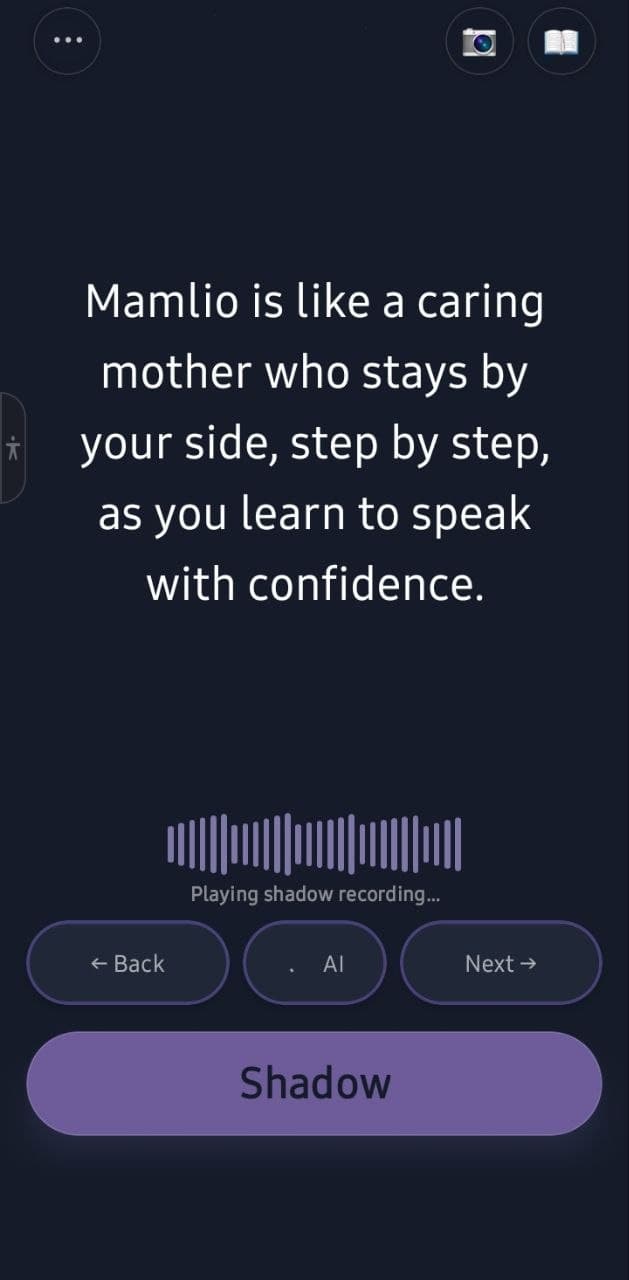
Real screens from the Mamlio speaking practice flow — hear, record, play back, and repeat.
Frequently asked questions
What is sentence loop practice?
Sentence loop practice means repeating one useful sentence in a small cycle: hear it, say it, hear yourself, and repeat. The loop stays focused on a single sentence until it feels easier to say.
Is sentence looping the same as repeating?
Not exactly. Simple repeating can mean saying words again without much structure. A sentence loop is a focused cycle around one sentence — listen, record, play back, and repeat — so practice stays deliberate and manageable.
How many times should I repeat a sentence?
There is no fixed number. Repeat until the sentence feels easier to say, then move on. Some sentences may need a few loops; others may need more. The goal is comfortable active speaking reps, not a set count.
Can sentence loops help if I freeze when speaking?
Yes. Sentence loops give you a low-pressure way to practice saying one line at a time. You work through a small, repeatable cycle without the stress of open conversation.
Are sentence loops useful for beginners?
Yes. Beginners can start with short, clear sentences and loop them at their own pace. Small loops make speaking practice easier to begin and easier to keep up over time.
Can sentence loops be combined with shadowing?
Yes. Shadowing means following a model sentence closely as you speak. Sentence loops give you the structure to hear, record, play back, and repeat — which works well alongside shadowing practice.
Does Mamlio score my pronunciation during sentence loops?
No. Mamlio's current loop is built around listening, recording, playback, and repetition. It is not a pronunciation scoring or correction tool.
Related guide: Daily Speaking Practice When You Don’t Have a Partner
Continue learning with Mamlio
- Language shadowing — follow a model sentence closely as you speak
- AI speaking practice — structured speaking reps one sentence at a time
- Pronunciation practice with recording and playback — hear your own voice and repeat calmly
- Learn how to use Mamlio — walkthrough of the app practice flow
Download Mamlio
Mamlio is available on iOS and Android.